Email Preference Center Best Practices
Preference center best practices: CAN-SPAM menu plus stop-all, Google one-click vs body preference pages, and SendGrid's labeled 20% unsub drop.
How to build a newsletter media kit: kit vs rate card, seven proof sections, placement tiers, and Apple MPP-honest opens sponsors can forward.

TL;DR: How to build a newsletter media kit starts with a job split: the kit proves audience and process; the rate card prices placements. Use seven sections (pitch, audience, engagement, formats, pricing, proof, booking). Keep opens honest after Apple Mail Privacy Protection. Put the price in the document.
Sponsors do not buy vibes. They buy a forwardable proof pack. When a brand asks for a media kit and gets a wallpaper of adjectives plus one subscriber count, the deal dies in the internal Slack thread, not on a call.
The full cluster map lives in the email marketing guide.
How to build a newsletter media kit means assembling the discovery document that sits beside your rate card: who reads you, how engaged they are, what placements look like, what they cost, and how to book. Pair this with newsletter sponsorship rates by subscriber count, email marketing benchmarks by industry, digital product vs sponsorship revenue, how creators monetize a small audience under 10K, and influencer marketing rates by follower count.
A newsletter media kit is a short sales document or page that presents audience, engagement, ad formats, pricing, proof, and a booking path so a sponsor can evaluate you without a scavenger hunt. It is not your About page. It is not a mood board. It is the asset a media buyer forwards to whoever approves budget.
SponsorCal frames the same idea: the kit outlines size and characteristics, engagement, formats, pricing, and proof that other brands have advertised with you (SponsorCal media kit). Inbox Alchemy collapses the reading experience to roughly two to three pages or one scrollable PDF so sponsors do not bounce (Inbox Alchemy). Keep the narrative short. Put the numbers where a scanner’s eye lands first.
If sponsorship is only one monetization path, keep digital product vs sponsorship revenue nearby so you do not overbuild a kit for a channel you will abandon.
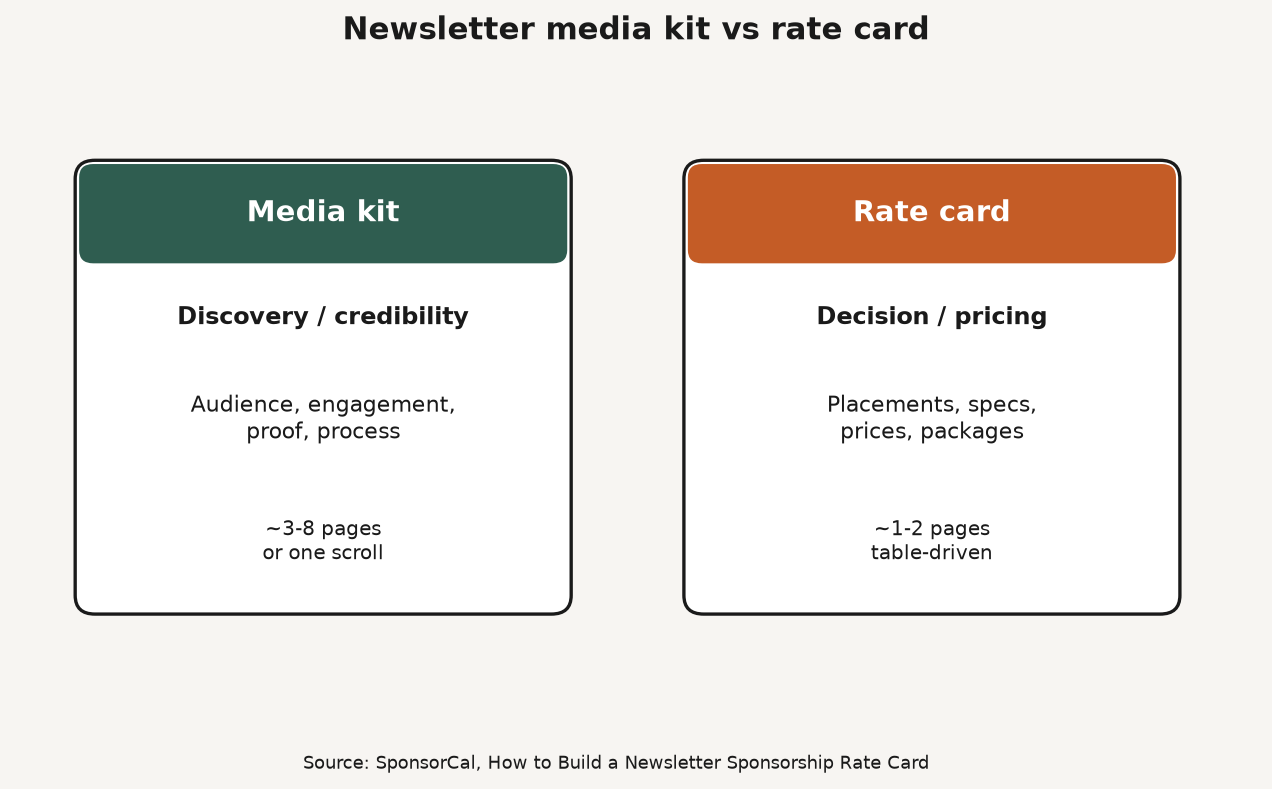
Kit versus rate card matters because sponsors ask two different questions at two different stages. The kit answers “should we work with you?” The rate card answers “what does it cost and can I approve it?” Mixing the jobs produces a PDF that is too long to scan and too vague to book.
Source: SponsorCal, How to Build a Newsletter Sponsorship Rate Card. https://sponsorcal.com/blog/newsletter-sponsorship-rate-card
| Element | Media kit | Rate card |
|---|---|---|
| Primary job | Credibility and audience fit | Pricing and placement menu |
| Key content | Audience, engagement, proof, process | Placements, specs, prices, packages |
| Sponsor stage | Discovery | Decision / budgeting |
| Typical length | About 3-8 pages (or one scrollable page) | About 1-2 pages, table-driven |
| Update cadence | When metrics or positioning change | When pricing changes |
Source: SponsorCal rate card vs media kit. Practical pattern: include a condensed rate table as the last page of the kit, then link a live rate card or booking page for the transaction.
Community language matches the fork. Reddit operators say demographics, CTR, format screenshots, and pricing close deals; vanity metrics get ignored (r/Newsletters). That is demand evidence for structure, not a census of close rates.
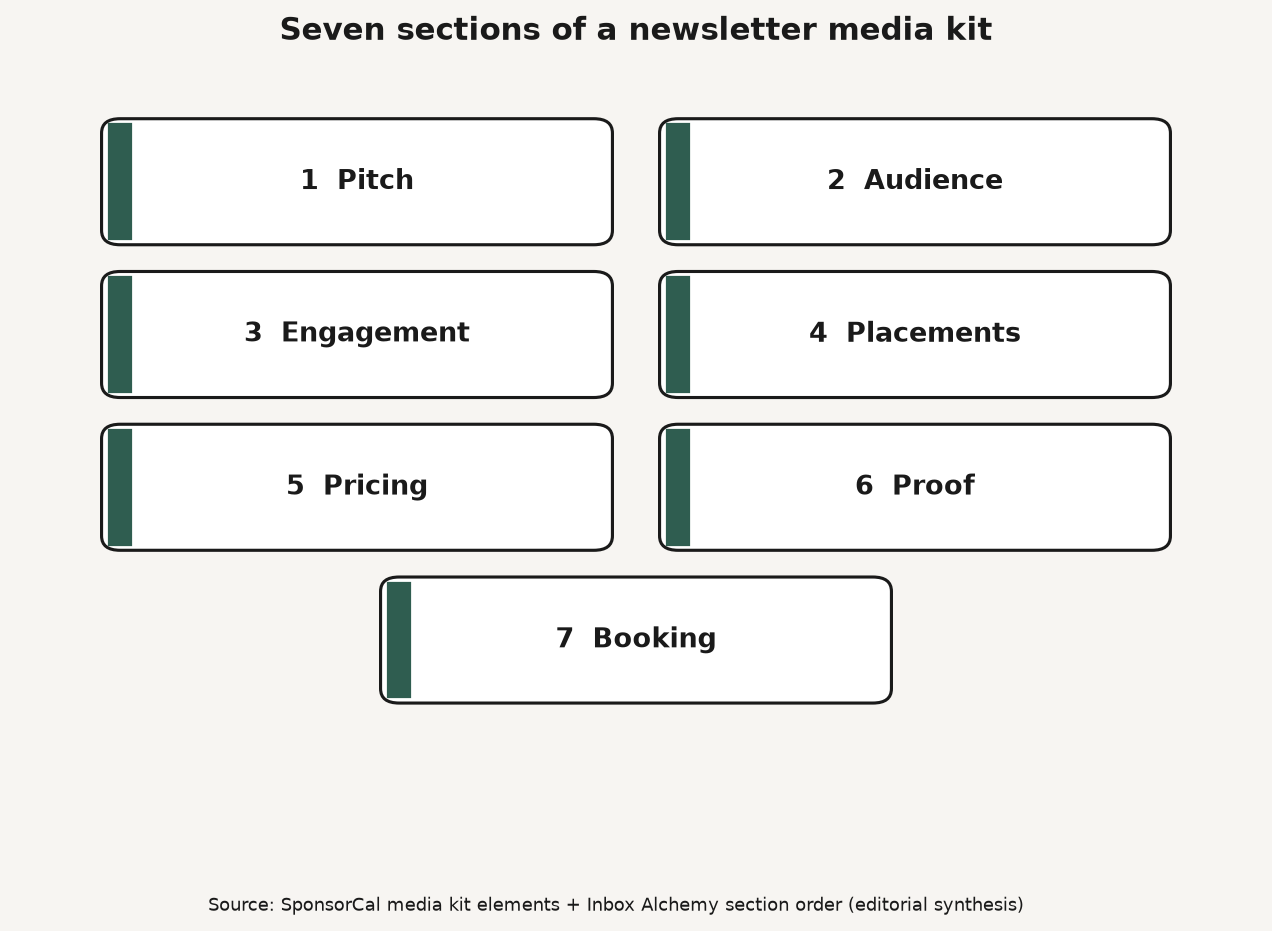
How to build a newsletter media kit is a seven-section stack plus honest denominators. Write the pitch, prove the audience, show engagement with an Apple MPP footnote, mock the placements, publish prices, add proof, and end on a booking path. Skip any of those and you force a call that should have been an email.
Source: SponsorCal media kit elements + Inbox Alchemy seven-section order (editorial synthesis). https://sponsorcal.com/blog/newsletter-media-kit
Relative pricing helps sponsors choose without a custom quote every time. Paved’s public planning language (accessed via SERP extract when the full page was Cloudflare-blocked this research run) puts secondary near 50-65% of primary and classifieds near 25-35% of primary (Paved). SponsorCal’s dedicated-send guidance often prices exclusivity near 3-5× a primary slot (SponsorCal dedicated).
| Placement | Typical job | Relative pricing language |
|---|---|---|
| Primary (top) | Highest visibility | Full rate (100%) |
| Secondary (mid) | Volume / mid budget | About 50-65% of primary (Paved planning) |
| Classified / footer | Low-friction inventory | About 25-35% of primary (Paved planning) |
| Dedicated send | Exclusive inbox | Often about 3-5× primary (SponsorCal planning) |
Treat relative percentages as planning rails from named publishers, not as feat. marketplace medians.
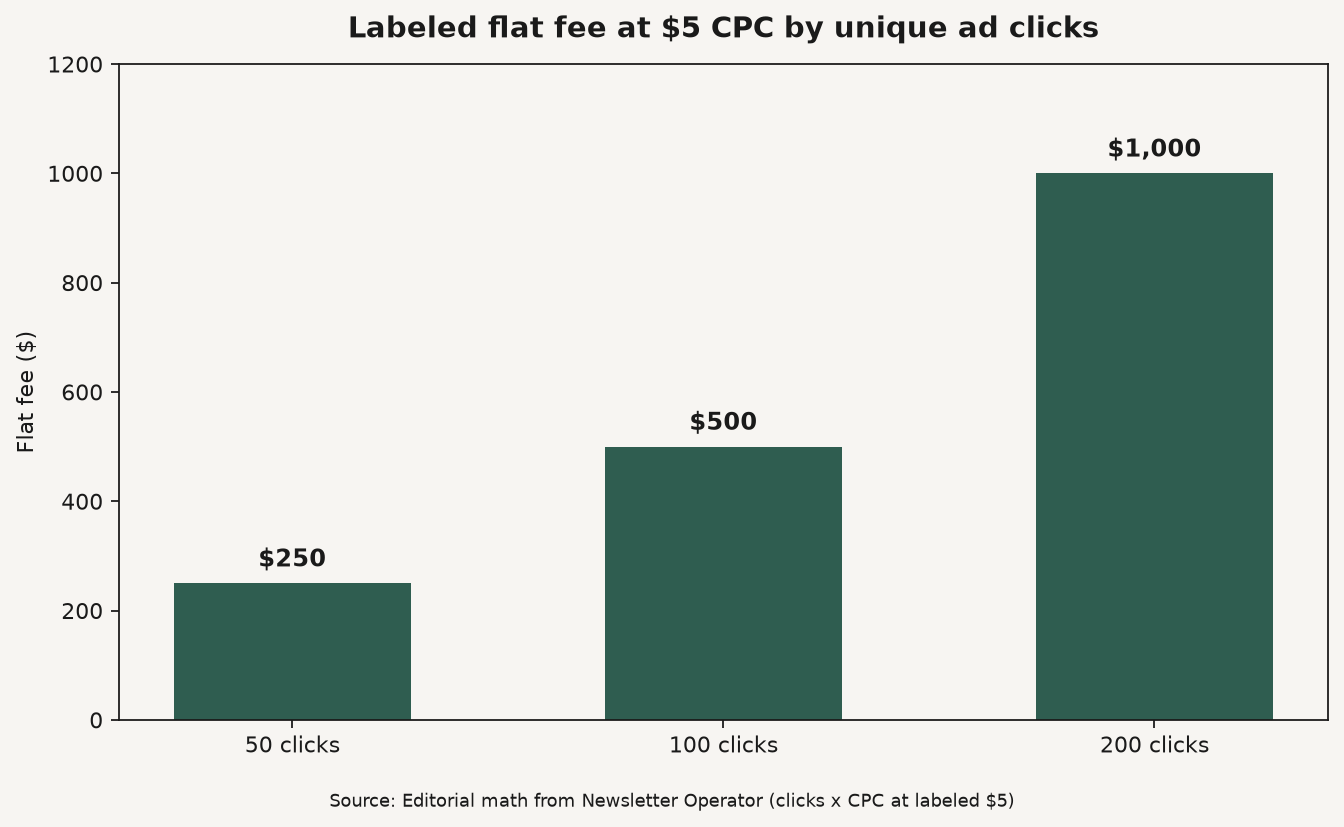
Newsletter Operator’s early flat-fee formula is average unique ad clicks × target CPC. Example: 100 unique ad clicks × $5 CPC = $500 per ad. Their package guidance for small lists: sell 3-5 ads as a minimum package, with about 10-20% off longer packs so a single $500 slot is not the only SKU (Newsletter Operator).
Source: Editorial math from Newsletter Operator formula (avg unique ad clicks × CPC). https://www.newsletteroperator.com/p/how-to-sell-newsletter-sponsorships
| Unique ad clicks | Fee at $5 CPC | Fee at $8 CPC (B2B lean) |
|---|---|---|
| 50 | $250 | $400 |
| 100 | $500 | $800 |
| 200 | $1,000 | $1,600 |
For size-band context when you lack click history, use beehiiv’s planning bands on the rates article. Paved also publishes a rough flat-fee anchor of about 2.5%-5% of subscriber count as a starting rule of thumb (SERP extract). Label it as a heuristic, not a census.
Sponsors still ask for open rate. Give a 90-day average, then put clicks and conversions next to it. Apple’s Mail Privacy Protection can download remote content whether or not a human reads the message (Apple). SponsorCal still treats open rate as a gateway comparison metric and mentions hygiene asks such as bounce under about 2% and unsubscribe under about 0.5% per issue as sophistication signals (SponsorCal). Present those as questions sponsors may ask, not as a universal health census.
Secondary blogs publish niche CPM ladders and “reply-to-booking jumped from 1 in 8 to 1 in 3” anecdotes without a public method. Until those samples publish IR-grade methodology, they are not charted here as market law. There is no public dataset in this article for one official media-kit close rate. Build the sections. Link the rates. Measure your own funnel.
Shipping a first newsletter media kit is a one-week ops job, not a design residency. Collect proof, write seven sections, publish price, and put a booking path on the last screen. Then update numbers on a calendar, not when you feel inspired.
These answers cover the kit questions operators ask first: what a newsletter media kit is, kit versus rate card, what to include when the list is small, how often to update, and whether you must show prices before a call. Use them as planning language, not as earned income promises.
Q: What is a newsletter media kit? A: A newsletter media kit is a short sales document or page that shows audience, engagement, ad formats, pricing, proof, and how to book. Sponsors use it to decide whether you are a fit before they approve budget. It is not a substitute for a clear rate card.
Q: What is the difference between a media kit and a rate card? A: SponsorCal’s split is the useful one: the media kit builds credibility at discovery; the rate card lists placements, specs, and prices at decision. Many publishers put a condensed rate table at the end of the kit and link a live booking page for the transaction.
Q: What should I include if my list is under 5,000 subscribers? A: Lead with audience fit, clicks, and a sharp pitch, not raw size. Use flat rates and packages of 3-5 ads when single slots are too small to justify buyer ops time (Newsletter Operator). For dollar planning bands, see sponsorship rates by subscriber count.
Q: Do I have to show prices in the media kit? A: Yes if you want unqualified leads to self-filter and qualified buyers to forward an approvable number. Hiding rates until a “quick call” adds friction. Put the table in the kit, then link the full rate card.
Q: How often should I update a newsletter media kit? A: Update when subscriber count, engagement, or pricing materially changes. Monthly is a common cadence for growth-stage lists; quarterly can work when metrics are stable. Stale opens or old rates erode trust the moment a sponsor notices.
How to build a newsletter media kit is a proof-stack problem, not a Canva problem. Separate the kit from the rate card, show seven sections a buyer can forward, keep Apple MPP honest on opens, and publish prices that match your sponsorship rate bands. List products affiliates can sell on feat..
Preference center best practices: CAN-SPAM menu plus stop-all, Google one-click vs body preference pages, and SendGrid's labeled 20% unsub drop.
Mailchimp vs Klaviyo: contact billing fork, send multipliers (10x/12x/15x), starting prices, and when ecommerce depth beats a general ESP.
Email list growth benchmarks: Omnisend 1.24B popup displays at 2.1%, form-type ladder, and levers that beat the average without inventing MoM %s.